Create a poll – without login and without registration

Ask your group a question: when does everyone have time? Or which option do we go for? You share one link, everyone answers without an account – and you see the result from the first vote onwards.

Start a poll for free
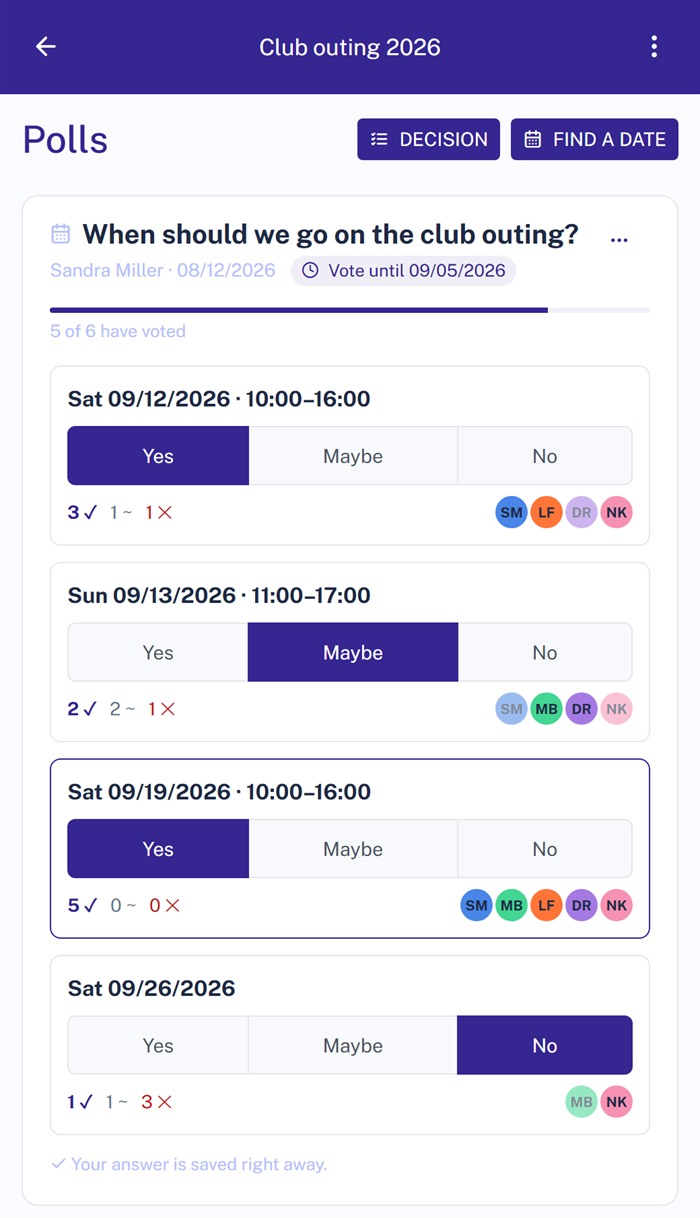
Scheduling poll in Projoodle on a phone: four proposed dates, each with yes, maybe and no to choose from

Two kinds of poll

A date everyone can make, or a decision everyone agrees on – Projoodle answers both with the same poll, just with different kinds of answer.
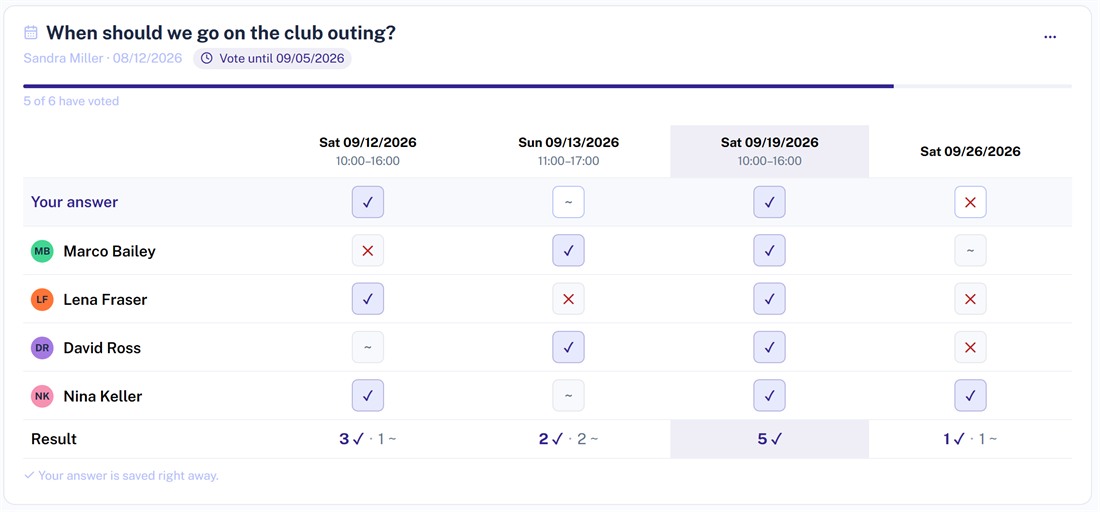
Scheduling poll in Projoodle: four proposed dates, every participant's answer and the date with the most yes votes

Finding a date

Propose up to 30 dates, with a start and end time if you want one. Everyone answers yes, maybe or no, and you see at a glance who can make which date. The one with the most yes votes is highlighted.
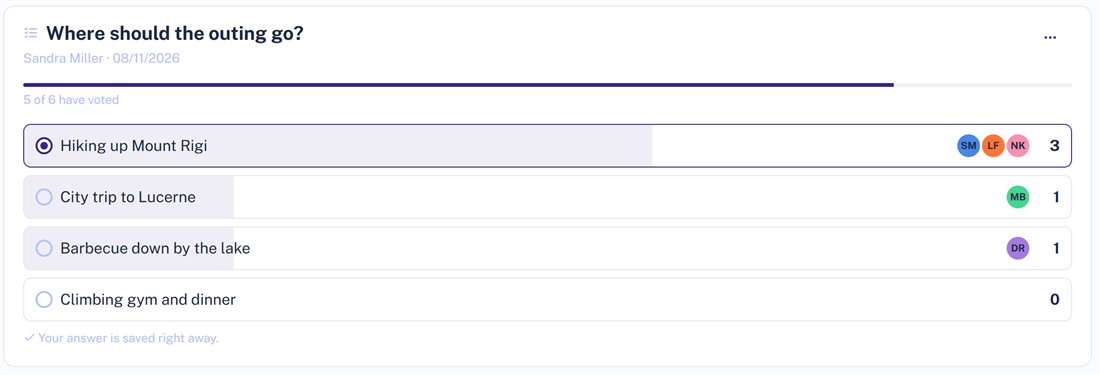
Decision poll in Projoodle: four answer options with bars, vote counts and the participants' initials

Taking a decision

Set the answer options and let people vote – one vote per person, or multiple choice. The result grows as a bar, and beside each answer you see who picked it.

Three steps to an answer

1. Ask the question

Enter a title, add the dates or the answer options and, if you like, set a day by which people should have voted.

2. Send the link

Projoodle emails your participants – only when you send it, not the moment you save. Everyone gets their own link and nobody needs an account.

3. Read the result

Every vote shows up right away. A bar shows who is still missing, and one click sends a reminder to exactly those people. At the end you close the poll and everyone gets the result.

The date you agree on then sits in the same project as the tasks and files that belong to it.

Start your first poll

No account, no credit card, nothing to install. Create a project, ask the question, share the link.

Frequently asked questions about polls

Answered briefly, before you get started.

Do I have to register to create a poll?

No. You create a project, add a poll to it and share the link. The participants do not need an account either – they open the link and vote.

Is the vote anonymous?

No, every vote carries a name. That is on purpose: when you are looking for a date you want to know who is still missing and who said no – not just how many.

Can participants add their own options?

Yes, if you allow it when you create the poll. Everyone taking part may then add further dates or answers – without an account too. You can remove an option you added yourself as long as nobody else has voted for it.

What does a poll cost?

Nothing. For free, one poll runs per project at a time; as soon as you close it, the slot is free again. With Projoodle PRO any number of polls run side by side.

What happens after the vote?

You close the poll and everyone taking part gets the result by email. The poll stays in the project, readable – next to the tasks, files and comments that belong to the date.