Project calendar – without login and without registration

Tasks with a deadline, appointments with a time and a place, recurring work before it comes round again: the calendar shows the month as it really looks. You set it up in five minutes and share one link – whoever has it answers without an account.

Try the calendar for free
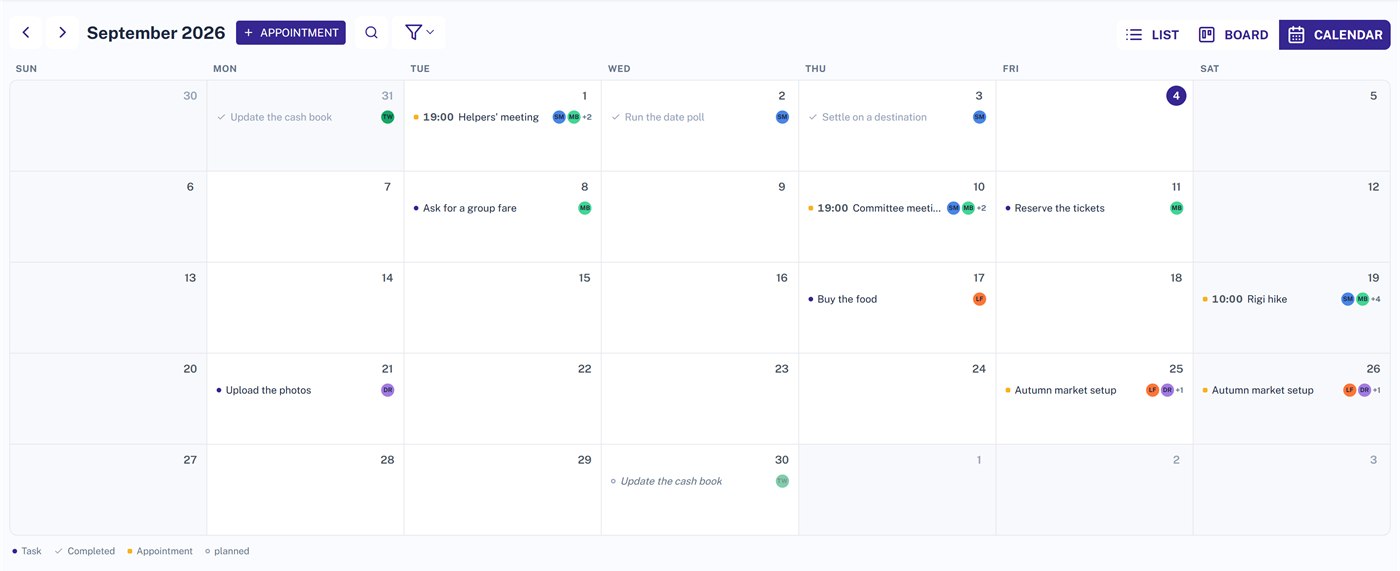
Month view in Projoodle showing tasks, appointments and the preview of a recurring task

Everything with a date in one place

The calendar invents nothing new, it gathers: whatever already carries a date in the list and on the board shows up here in the month – and appointments join it.

Tasks with a deadline

Every task sits on the day it is due, with the initials of whoever is on it. Completed ones stay put, just toned down – a month that empties out because everything got ticked off looks like a fault.

Appointments with a time and a place

A meeting is not a task: it does not get ticked off, it belongs in no column, and it has a start and an end. Appointments are their own kind of entry – all day or with a time, on one day or across several.

Recurring work, seen in advance

The calendar shows a recurring task even before the card for it exists. The open ring says: this one is still coming. Once it falls due, the real entry takes its place.
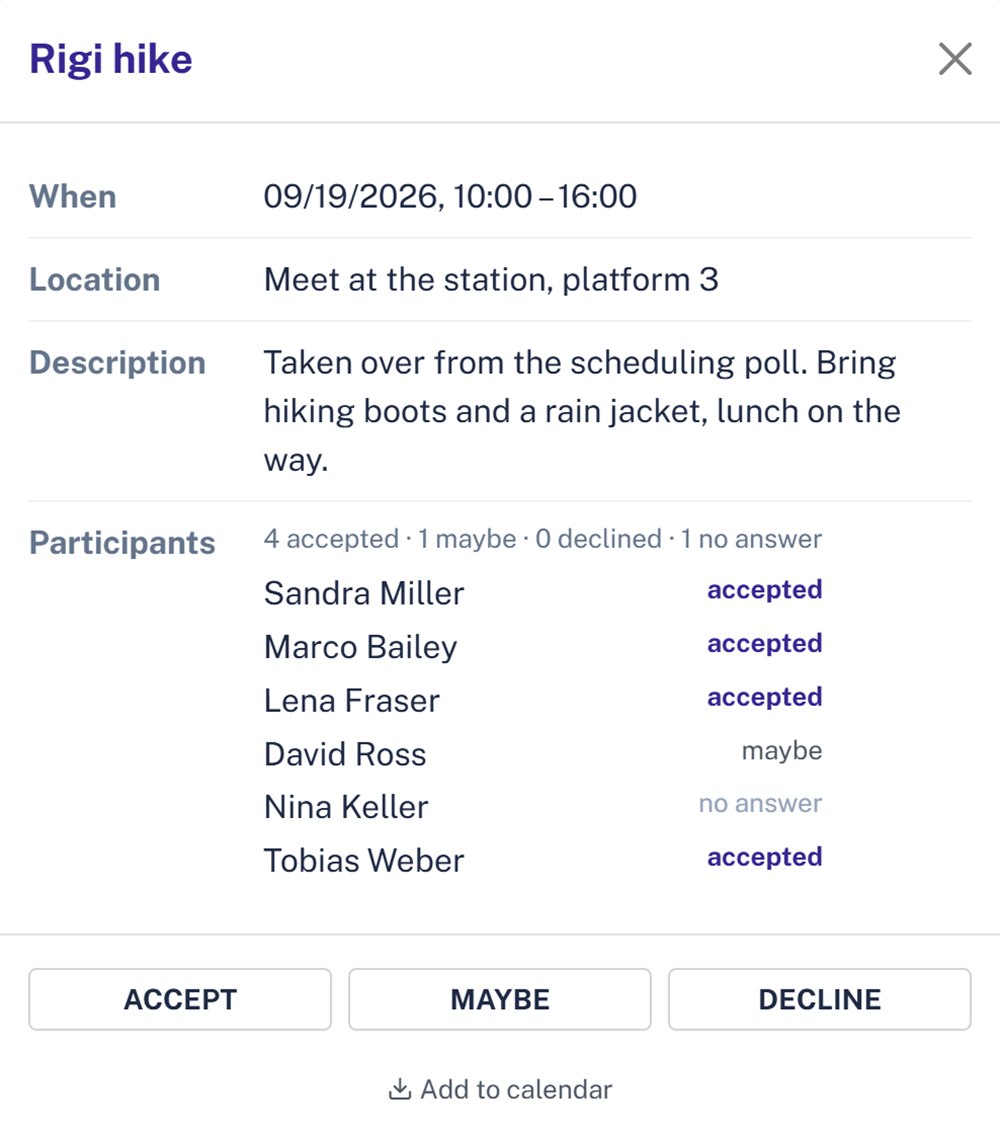
Appointment in Projoodle with the participant list and the buttons Accept, Maybe and Decline

Accept, decline or maybe

Anyone invited answers in one click – the same three answers as in the polls, because it is the same question. Next to every name stands what came of it, and above them the tally: four accepted, one maybe, one still open.

  • Invitations go out by hand, not on save. A freshly entered appointment is rarely finished yet – but an email cannot be called back.
  • If the appointment is called off, everyone who accepted or answered maybe gets told. Whoever declined hears nothing – for them nothing changes.

A scheduling poll becomes an appointment

Until now a closed scheduling poll ended in nothing: somebody had to type the winning date in again by hand, with the very details already on the screen. Now you take it over in one click – the date, the time and everyone who accepted or answered maybe are in the appointment straight away.

More about polls

In your own calendar

A single appointment you download as a file and drop into Outlook, Google or Apple Calendar – anyone allowed to see the appointment can do that. With Projoodle PRO you subscribe to an address instead: your calendar app then fetches the appointments by itself, from every project, including the ones that do not exist yet.

Pricing & PRO version

Enter your first appointment

No account, no credit card, no install. Create a project, enter an appointment, share the link.

Common questions about the calendar

Answered briefly, before you start.

Do I need an account for the calendar?

Not to create a project – you get a link and start straight away. Anyone in the project through that link sees the calendar and answers appointments without registering. Only the calendar subscription needs an account, because the subscription address belongs to it.

What does the calendar cost?

Nothing. For free you get three upcoming appointments per project – past ones do not count, so the room frees up by itself. With Projoodle PRO there is no limit, and the calendar subscription and the search across all months come with it.

Can guests create appointments?

No, and that is deliberate. Guests see the calendar and answer the appointments they are invited to – creating and changing is for admins and members. The same rule holds for polls: taking part yes, managing no.

Can I see the appointments in Outlook or Google Calendar?

Yes, in two ways. A single appointment you download as an ICS file, and that works without PRO. Or you set up a subscription with Projoodle PRO: an address your calendar app fetches regularly. It only fetches every few hours, though – new appointments show up there with a delay, and what you change in your calendar does not flow back into Projoodle.

Do my tasks disappear when I switch to the calendar?

No. The list, the board and the calendar show the same project from three angles, and the participant filter holds in all three. Filter by a person in the calendar and you find the list filtered the same way. What shows in the calendar is whatever carries a date – everything else stays in the list and on the board.