
Sometimes the work itself is not the problem. The start is.
You roughly know what needs to be done. Maybe a customer needs to be informed. Maybe a page needs to be prepared. Maybe an internal topic needs a clean description. In your head, everything is somehow clear. But as soon as it needs to become a task, it suddenly gets tedious.
- What is the right title?
- How detailed should the description be?
- Does it need a checklist?
- And what does the team really need to know?
This is exactly where AI in Projoodle helps. Not as a complicated assistant that takes over everything. But as practical starting help right where tasks are created.
An idea becomes a task
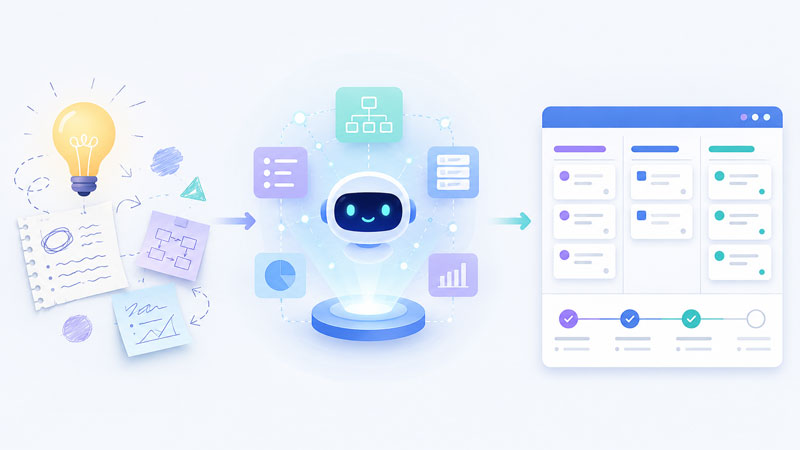
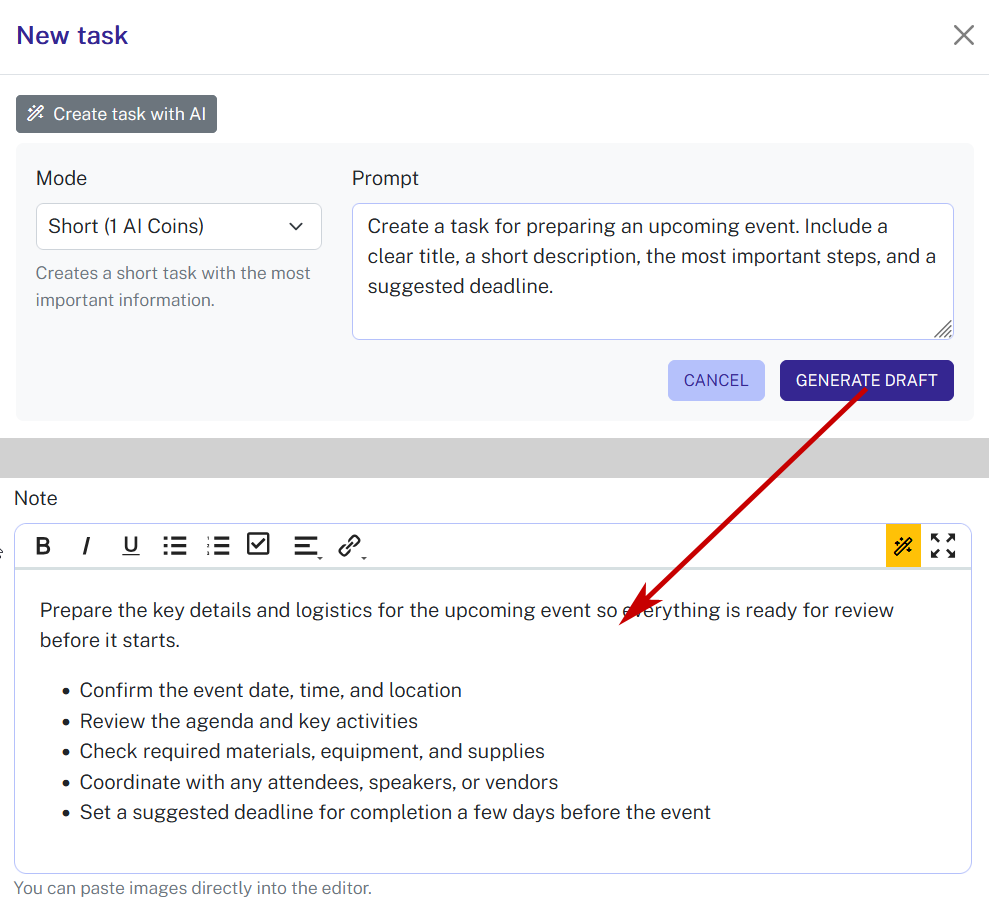
In Projoodle, you can create a task with AI. You briefly describe what needs to be done, and Projoodle creates a task draft from it.
This is especially helpful when you only have a rough thought.
For example:
Prepare new product page
Or:
Get customer feedback on the quote
Or:
Document internal handover for the project
From a short description like this, Projoodle can create a suitable task title and a more understandable task description. The draft does not end up somewhere in a separate AI tool, but directly where you need it: in the task.
This saves time and lowers the barrier to planning cleanly at all.
You decide how detailed the task should be
Not every task needs the same amount of text.
Some tasks should stay short. Others need more context. Others only become really helpful when they include a small checklist.
That is why it is important that AI does not simply always do the same thing. In Projoodle, there are different ways a task can be created. For example, you can create a compact task or prepare a task with a checklist.
That fits everyday work well. Because a short reminder and a detailed work task are not the same thing.
- A compact task can be enough when the team already knows the context.
- A task with a checklist is better when several steps are needed.
- A more detailed task helps when someone should be able to start right away without having to ask first.
Checklists make tasks more tangible
Many tasks sound bigger at first than they really are.
Prepare product page sounds like a lot. As a checklist, it becomes something concrete:
- Collect content
- Check images
- Revise text
- Get approval
- Check publication
Suddenly it is clear what needs to be done.
Projoodle can turn existing texts into checklists. So you can take a description or note and have it turned into a structured list. Here too, the text remains editable. The AI provides the suggestion, you stay in control.
This is practical for handovers, recurring workflows, small processes, and tasks where several steps matter.
Improve existing tasks
Not every task needs to be created from scratch. Sometimes something is already there, but it does not sound good yet.
Maybe the description is too short. Maybe it is too long. Maybe everything is included, but not especially clear.
In such cases, AI can help improve the existing text. This is especially useful for task descriptions and comments.
So you do not have to start from zero every time. You can start with unfinished text and improve it directly in Projoodle.
In everyday work, that is often exactly the right way. Because many tasks do not start perfectly. They start quickly. And then they get better.
Why this helps so much in a team
Unclear tasks cost time.
Someone reads a task and asks a follow-up question. One person understands something differently than intended. An important step is missing. Or a task sits there because it is not clear how to start.
Better tasks reduce exactly this chaos.
When title, description, and checklist are clear, the team can act faster. Not because everything is overplanned. But because the next steps are understandable.
AI helps mainly in three places:
- It turns rough ideas into usable tasks.
- It turns longer texts into clear checklists.
- It improves existing descriptions and comments.
That sounds simple. It is. And that is exactly why it is useful.
The AI stays close to the content
One important point: Projoodle should not create fantasy planning.
The AI should work from what you provide. It should not add invented owners, deadlines, dependencies, or facts if they are not clear from your text.
This matters because tasks in project management need to be reliable. An AI task must not sound nice while also claiming things that were never discussed.
That is why the best way is:
- You provide the framework.
- Projoodle turns it into a better draft.
- You check and adjust it.
This keeps responsibility with you, but makes starting easier.
And what if it is a whole project?
This post stays with individual tasks. Sometimes the starting point is bigger though: not a single to-do, but a whole undertaking.
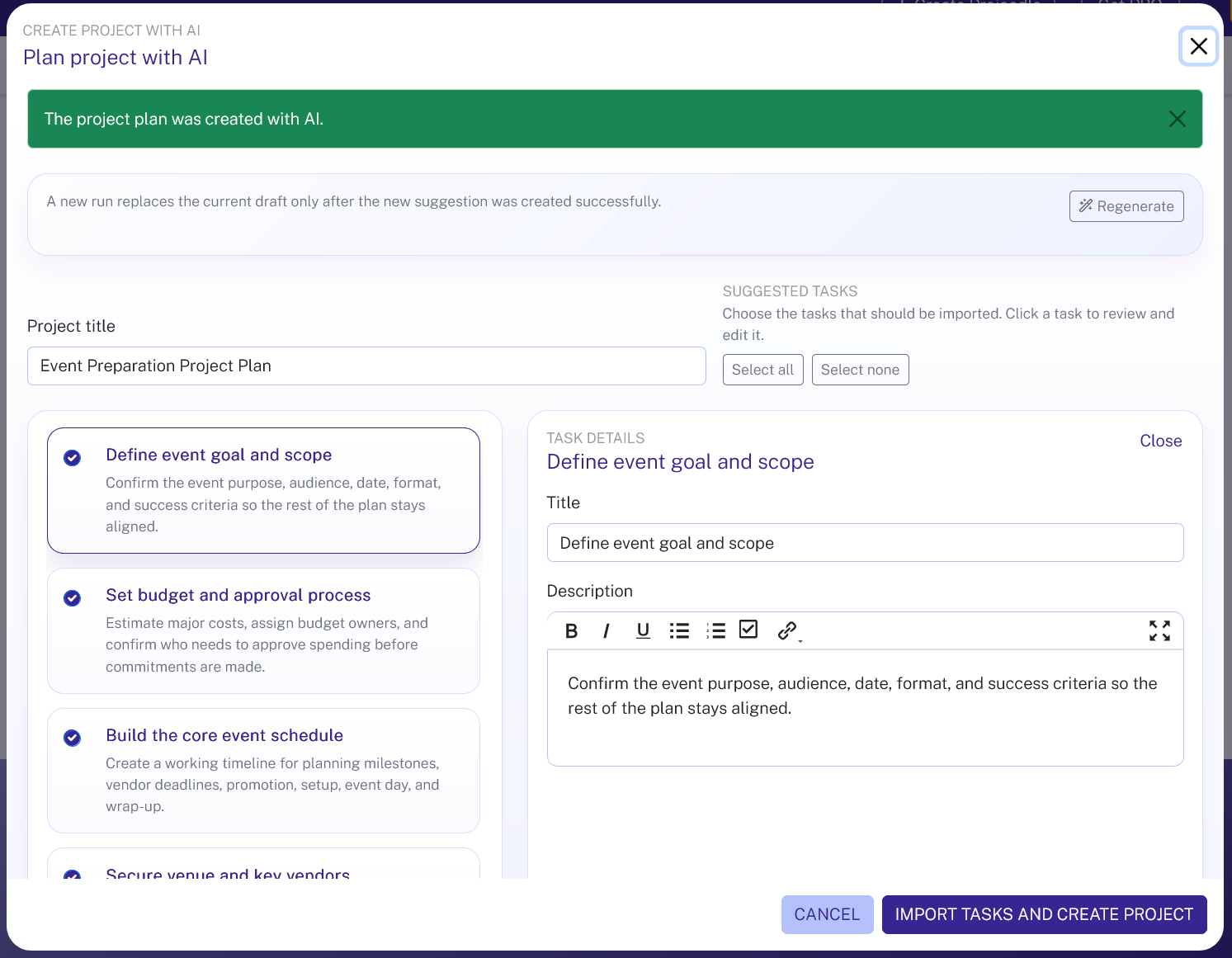
If you want to start not just a single task, but a new project right away, Projoodle can help with that too. A short project description can become a project draft with several tasks.
These tasks can be checked, adjusted, and selected before you apply them. This is especially practical when an idea first needs to become a rough project structure.
For individual tasks, AI is a writing helper. For whole projects, it becomes planning help. How that works is covered in AI turns ideas into plans.
When AI task planning is especially useful
AI is not worth it for every mini task. For a very simple reminder, you probably do not need help.
It becomes really useful when a task is still unclear. Or when you notice that you actually already know what is meant, but do not feel like formulating everything cleanly.
Typical examples:
- Create a task from a short idea
- Turn a longer note into a checklist
- Make an unclear description easier to understand
- Prepare a task so someone can start right away
- Break a small workflow into individual steps
This is not a huge strategy. It is simply better everyday help.
Fewer empty fields, more clarity
Many tools make planning harder than it needs to be. First come many fields, then many options, then many decisions.
Projoodle takes a different path. You can start small. One idea is enough. The AI helps you turn it into something useful.
The result does not have to be perfect. It just needs to be better than an empty task title or a cryptic note.
And that is exactly the point.
Planning tasks with AI does not mean that AI takes over your project. It means you get faster from a thought to a clear task.
A task that is understandable.
A task that can be worked on.
A task your team can really do something with.
You can find more information about the AI features here.
Related: to-do list · The right prompts for good task lists