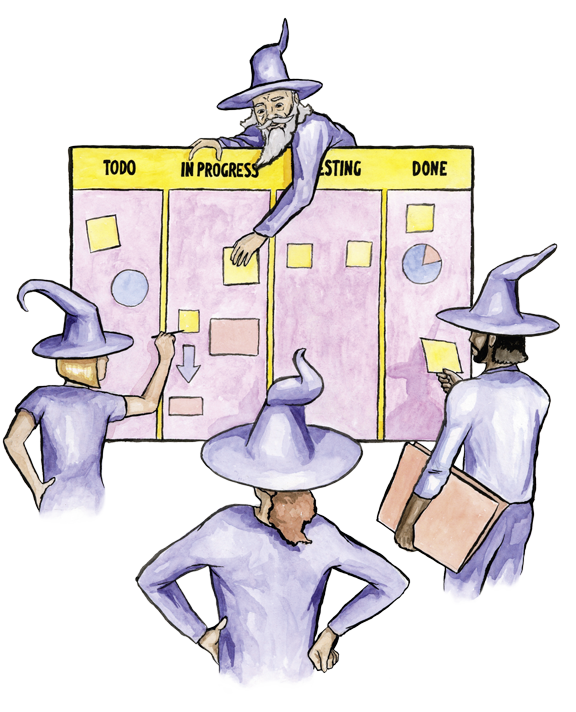
Create an online Kanban board. Plan clearly & work flexibly.

A Kanban board helps you organize tasks visually and keep track of your project’s progress at any time.
With Projoodle, you switch from the list view to the Kanban board with one click, create custom columns, and move tasks easily via drag & drop.

Create a Kanban board

What is a Kanban board?

A Kanban board is a visual representation of your tasks. Each task is displayed as a card and moves through different columns, for example:

  • Open
  • In progress
  • Done

This way, you can see at a glance where your project stands. Unlike a classic to-do list, a Kanban board shows you not only what needs to be done, but also which stage each task is in.

This is how you work with the Kanban board in Projoodle

After creating your project, you can switch to the Kanban board at any time.

1. Create custom columns

You decide how your workflow looks. Create as many columns as you need. For example for project phases, status, or responsibilities, and name them freely.

2. Manage tasks as cards

Each task appears as a card on the board.
You can use these cards to:

- move them between columns
- assign people
- add start and end dates
- add files, comments, or checklists

3. Make progress visible

Instead of just checking off tasks, they move step by step through your board. This way, you can immediately see where things get stuck and which tasks should be completed next.

Which projects is a Kanban board suitable for?

A Kanban board is especially helpful for projects with multiple work steps, for example:

  • Vacation and travel planning
  • Events and celebrations
  • Moves or renovations
  • Club work
  • small team or side projects
  • personal tasks with multiple phases

Wherever tasks are not simply “open or done”, the Kanban board shows its strengths.

Why use the Kanban board with Projoodle?

The Kanban board helps you work in a structured way without overwhelming you with complex project management methods.

Create your free Kanban board now

Frequently asked questions about the Kanban board

Not sure if a Kanban board is the right fit for your project or how it works in Projoodle? Here you’ll find answers to the most important questions about the Kanban board, how to use it, and everyday use.


Do I need to set up a Kanban board separately?

No. The Kanban board is part of every project. You can switch from the list view to the Kanban board at any time.

Can I define my own columns?

Yes. You decide how many columns you need and what they are called. In the free version, you can use up to three columns; with the Pro version, there is no limit.

Can I move tasks between columns?

Yes. Tasks can be moved via drag & drop as soon as their status changes.

Is the Kanban board also suitable for private projects?

Absolutely. Especially for private planning such as trips, moves, or events, the Kanban board is particularly clear and easy to use.